How it works
EMDR sessions, connected in seconds.
BilateralSync lets you control visual and auditory bilateral stimulation while your client follows the stimulation in their own browser.
Three steps to a session
01
Start a session
Open BilateralSync and start a session from your therapist workspace. No software installation is required.
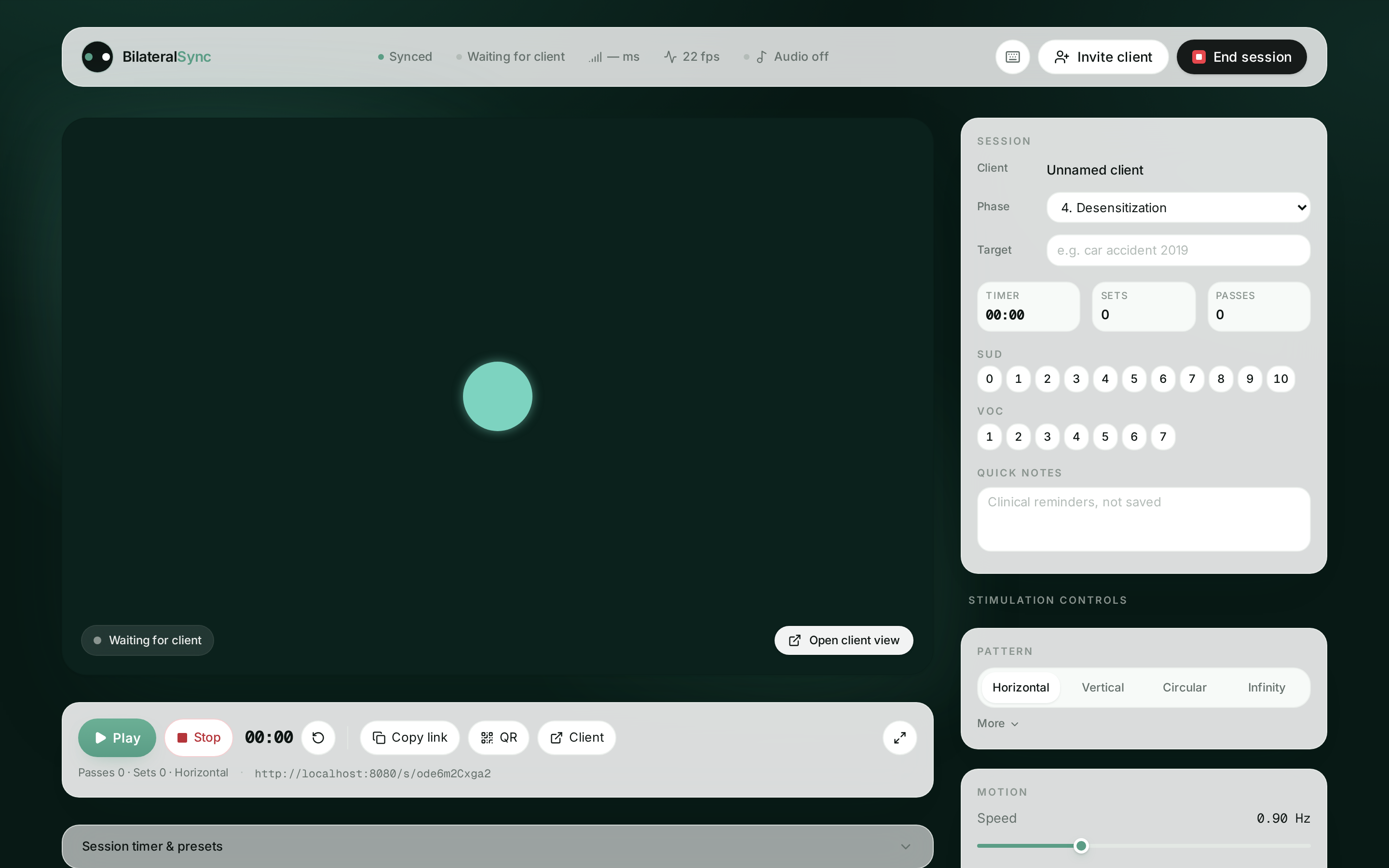
02
Share the session
Copy the secure session link, or show the QR code, directly from the session control bar. Your client opens it in their browser, with no account or installation.

03
Guide the stimulation
Adjust speed, size, pattern and audio live from your screen. Every change reaches the client view in real time.
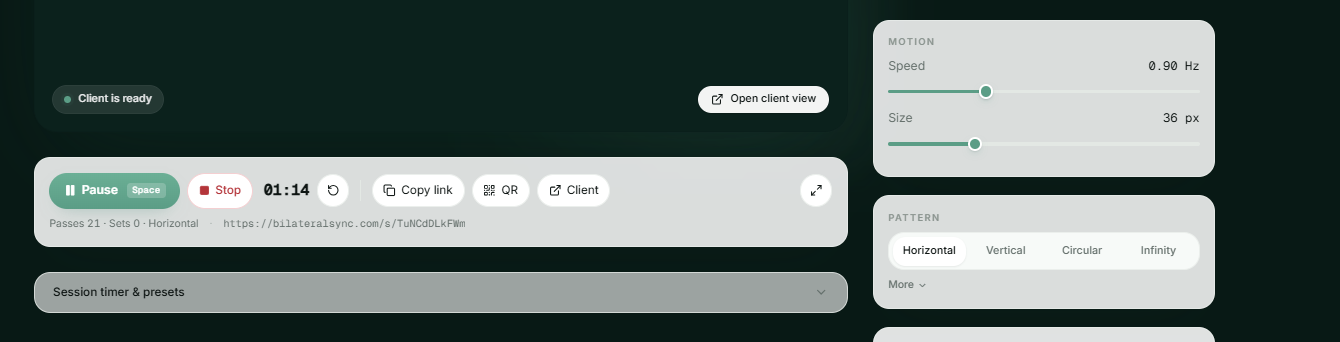
Your client sees only what they need.
The client opens the session link and sees a single, distraction-free screen: the moving target, a fullscreen option and nothing else. No account, no installation, no therapist controls.

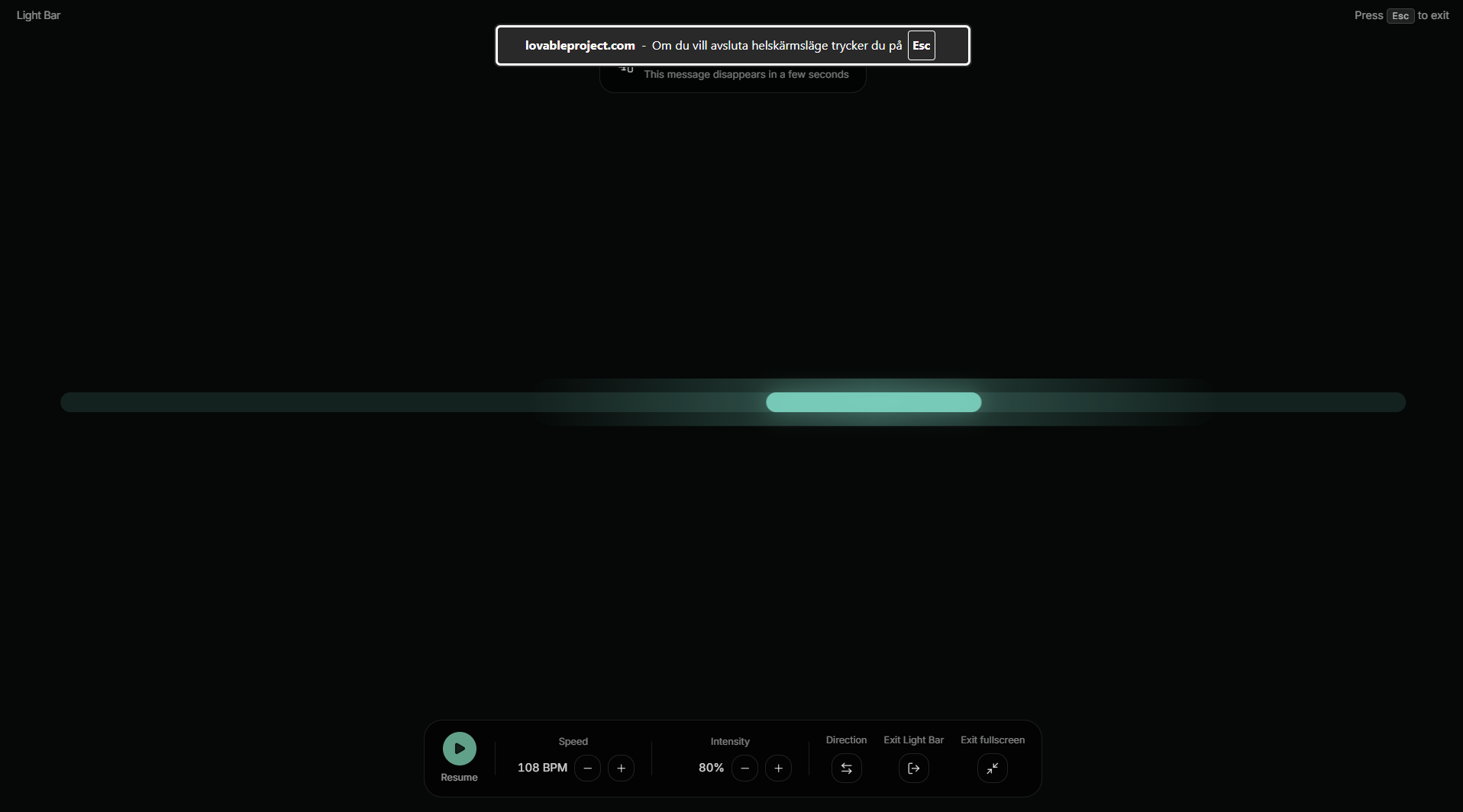
Light Bar mode for in-room work.
Turn the whole screen into a clinical light bar and rotate it toward your client. Tempo in BPM, luminosity and sweep direction stay under your control, with Space to pause and Esc to exit.
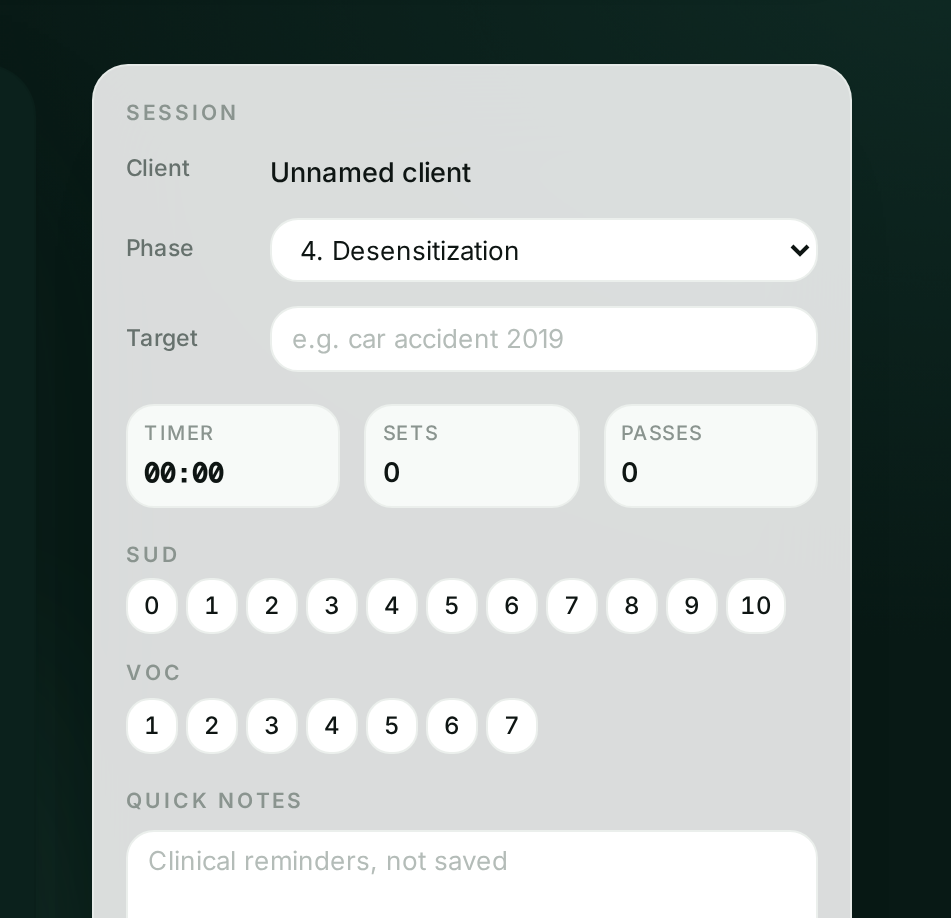
Keep track of SUD and VOC.
Record the phase, target memory, SUD and VOC ratings as the session progresses, alongside the timer, set and pass counters without leaving the session screen.
You stay in control.
Everything the client sees and hears is set from your screen, during the session.
- Stimulation pattern
- Horizontal, vertical, diagonal, circular, infinity, pendulum, random
- Speed
- Slow to fast, adjusted live
- Size
- Target size for the client's screen and distance
- Colour
- Target and background colour
- Auditory BLS
- Left/right panned tones with volume and pan depth
- Session timing
- Start, pause and time the session
See it in action
Try the BilateralSync session tool yourself. Explore the stimulation patterns and therapist controls before creating an account.
Built for the way you work
Online sessions
Use BilateralSync alongside your video platform.
In-room sessions
Use the same tool with your client in the same room.
Ready to try BilateralSync?
Start your 14 free days and run your first session today.